#1 Transcription App 2025.

stars

Rated 4.9 out of 5

Trusted by 100,000+ users worldwide

AI Subtitle Generator

Generate accurate subtitles instantly using advanced speech to text technology. Create auto captions, add subtitles to your videos, and edit them بسهولة with a powerful subtitle tool.

Subtitles Generator

Auto-generate and embed subtitles in your videos

Drag & drop your file here or browse to upload

Accepted formats: MP4, MOV, AVI, MKV, WebM · Max 500MB

Font size
Position
Color

No sign up required

Add subtitles in seconds

100+ languages supported

+ 50M

Subtitles

Generated

100K +

Happy
users

95% +

Accuracy
rate

100 +

Languages
supported

How to add subtitles to video

Follow three simple steps to generate automatic subtitles, create captions, and export your video with SRT files

upload-video

1. Upload Your Video

Upload your video file or paste a link from YouTube, Google Drive, or other platforms. Supports all major formats.

2. Generate subtitles with AI

Use an auto subtitle generator to convert speech to text and create accurate, time-synced subtitles in seconds.

3. Edit and export subtitles

Edit text, timing, and styles, then export as SRT, VTT, or embed subtitles directly into your video.

Video subtitles generator for all major formats

Add subtitles to MP4, MOV, AVI, and more using a free subtitle generator.

video-mp4

MP4

Most common video format, widely supported across all devices and platforms

video-mov

MOV

Apple’s QuickTime format, perfect for Mac users and professional editing

AVI

Classic video format with excellent quality and wide compatibility

MKV

Open-source container format supporting multiple audio and subtitle tracks

video-webm

WebM

Web-optimized format designed for HTML5 video streaming

video-flv

FLV

Flash video format, commonly used for online video content

And many more formats including WMV, MPEG, 3GP, and custom formats.

Why use Summary AI for automatic subtitles?

Create auto captions, automatic subtitles, and multilingual captions with ease.

automatic-subtitles

Automatic subtitles

Create auto subtitles instantly with AI-powered speech to text.

suport-more-100-lenguages

Supports 100+ languages

Generate subtitles in multiple languages and reach global audiences.

all-video-formats

All video formats

Works with MP4, MOV, AVI, MKV, WebM, and more.

Secure processing

Your videos and subtitles are private and protected.

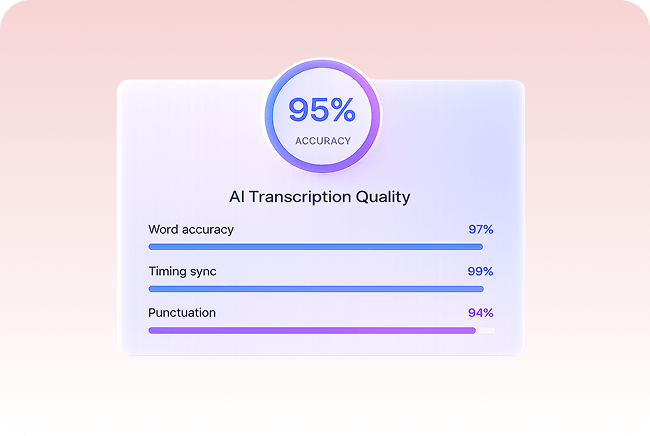
Generate accurate subtitles with speech-to-text

Turn audio into precise auto subtitles and captions with advanced speech recognition.

accurate-auto-subtitles-advanced-ai-speech-to-text
add-captions-to-video-and-improve-engagement

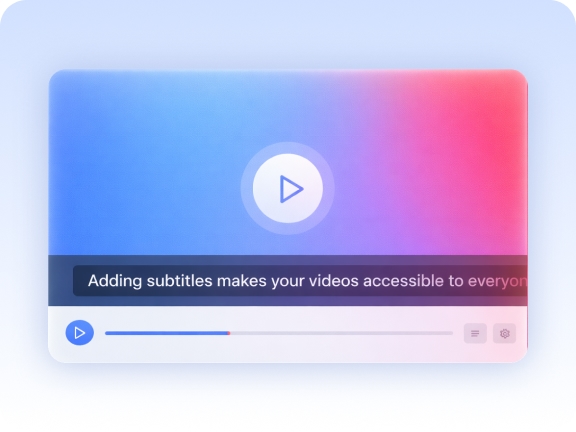
Add captions and improve engagement

Subtitles help viewers understand your content and keep them watching longer.

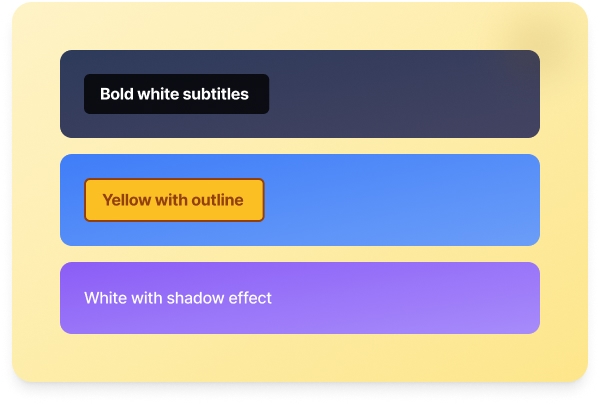
Customize subtitle styles

Create subtitles that match your video style and branding.

customize-subtitles-styles-and-formatting

Perfect for creators, teams, and businesses

Trusted by professionals across industries

content-creators

Content creators

YouTubers, TikTokers, and social media creators use subtitles to increase engagement and reach wider audiences

marketers

Marketers

Marketing teams add captions to video ads, product demos, and social content to maximize impact

educators

Educators

Teachers and trainers make educational videos accessible to all students with accurate subtitles

Trusted by creators worldwide

Thousands of users rely on Summary AI to generate subtitles automatically,
 convert audio to text, and improve their video content.

stars

“This tool saved me hours of work. The auto subtitles are incredibly accurate, and the editor makes it easy to fine-tune everything.”

SM

Sarah Miller

YouTube Creator

stars

“We use this for all our marketing videos. The AI subtitle generator helps us reach customers globally.”

JC

James Chen

Marketing Director

stars

“Adding subtitles to my lectures improved accessibility and student engagement. The results are excellent.”

EP

Emily Parker

Online Educator

More tools to power your video workflow

Explore more tools to create subtitles, convert audio to text, and improve your video workflow.

Transcribe video to text

Convert video files into accurate text transcripts.

Youtube video summarizer

Get AI-powered summaries of YouTube videos instantly.

Transcribe audio to text

Transform audio recordings 
into written text.

Speech to text

Convert spoken words into written text in real-time.

Podcast summarizer

Get quick summaries and key takeaways from podcasts.

Audio summarizer

Generate concise summaries from any audio content.

Subtitles generator

Automatically generate accurate subtitles for your videos.

Online video compressor

Compress video files while maintaining quality.

Online audio compressor

Reduce audio file size without
losing quality.

Summary AI Learning Hub

Expert advice, tips & how to guides about transcriptions, summaries and productivity. 
Get the most out of our summaries.

best free long text summary generator

Best Free Long Text Summary Generator in 2026

11 mins read.
how to extract the content from a youtube video

How To Extract The Content From A Youtube Video (Step‑by‑step)

12 mins read.
what is chatgpt

How To Record Sound On PC (3 Methods)

9 mins read.

Add subtitles to video FAQs

Common questions about our subtitle generator

Summary AI is an advanced AI subtitle generator that automatically converts speech to text and creates accurate subtitles. Simply upload your video, and the tool will generate auto subtitles in seconds.

Subtitles improve accessibility, increase engagement, and help viewers understand content without sound. They also boost SEO by making your video content searchable.

Upload your video to Summary AI, and the auto subtitle generator will create subtitles automatically. You can then edit, customize, and export them or embed them directly into your video.

Summary AI offers a free plan or trial for generating subtitles. Paid plans unlock more features like longer videos, faster processing, and advanced subtitle customization.

Yes. You can generate subtitles using Summary AI and upload them to YouTube as SRT or VTT files, or embed them directly into your video before publishing.

Upload your existing video to the subtitle generator, and it will automatically create subtitles. You can edit timing, text, and styles before exporting or embedding them.

You can upload an SRT file or generate one using Summary AI. Then, either attach it to your video or burn (embed) subtitles directly into the video.

Yes. Summary AI offers a free subtitle generator with options to export subtitles. Depending on your plan, you can create subtitles without watermarks.

Add subtitles to video free in seconds

Generate accurate subtitles with AI and make your content accessible instantly

No signup required · Fast AI subtitles · 100+ languages

summary ai app in desktop and phone
Scroll to Top

Start for free

To download the mobile app, point your smartphone camera at the QR code