
ChatGPT and Gemini are two of the biggest AI assistants in 2026. Both can answer questions, write text, explain ideas, help with code, search the web, and work with files, yet they are not the same.
ChatGPT is considered better for many daily tasks, especially writing, studying, planning and strategy, coding, and working on things step-by-step. Gemini is great if you already use Google apps like Gmail, Docs, Sheets, Slides, and Drive.
The main difference is simple to pinpoint:
- ChatGPT works more like a full AI workspace.
- Gemini works more like an “AI layer” inside Google tools.
- ChatGPT is better for writing and clear explanations.
- Gemini is better for Google Workspace tasks.
Neither tools are perfect. As always with AI, both can make mistakes, so important facts still need checking.
If you only want one AI assistant, ChatGPT is the better choice for most people. If you work inside Google apps all day, Gemini may save you more time.
If you are someone who has many hours of meetings each week, a meeting recorder like Summary AI will save you the most time. It joins your calls and transcribes everything with speaker labels using AI transcription. WHen your call ends, you get a summary of your call sent straight to your inbox complete with all of the key points highlighted and action items so you always know what to do next.
ChatGPT vs Gemini at a glance
ChatGPT and Gemini can both help with work, school, and even personal tasks. The best AI for you depends on where you spend most of your time.

ChatGPT is a good choice if you want one place for writing, thinking, research, coding, and planning. Gemini is a best if most of your work already happens in Google Workspace.
Here is a simple comparison of ChatGPT and Gemini:
- ChatGPT is made by OpenAI.
- Gemini is made by Google.
- ChatGPT is best for writing, reasoning, coding help, and learning.
- Gemini is best for Gmail, Docs, Sheets, Drive, and Google Search-based tasks.
- ChatGPT feels like a separate AI workspace.
- Gemini feels built into the Google tools you already use.
- ChatGPT is better for long drafts and detailed answers.
- Gemini is better for working with Google files and emails.
Both tools are useful. But for most users, ChatGPT is easier to use as a main AI assistant. Gemini is best when your work depends on Google apps.
What is ChatGPT?
ChatGPT is an AI assistant from OpenAI. You type a question or request, and it gives you an answer in natural language. You can use it for work, study, content, coding, and personal tasks.
ChatGPT started as a chat tool, but it now does much more. It can search the web, review files, analyze data, create images, help with code, and support ongoing projects. You prompt it with conversational AI and it does the rest.
ChatGPT can help with:
- Blog posts
- Emails
- Reports
- Social media posts
- Resume writing
- Study guides
- Coding questions
- File summaries
- Data analysis
- Brainstorming
- Travel plans
- Business ideas
One reason people like ChatGPT is that it is easy to guide. You can ask it to make an answer shorter, simpler, more formal, more casual, or more detailed. You can also ask it to follow a certain format.
ChatGPT is not perfect. It can still get facts wrong. But for writing, learning, and tasks for work, it often gives answers that are easy to use and edit.
What is Gemini?
Gemini is Google’s AI assistant. It can answer questions, write text, explain topics, help with code, understand images, and work with files. Its biggest advantage is that it connects well with Google tools.
If you use Gmail, Docs, Sheets, Slides, Drive, Meet, or other Google apps, Gemini can help inside those tools. This is the main reason many people choose Gemini over ChatGPT.
Gemini can help with:
- Summarizing Gmail threads
- Writing email replies
- Editing Google Docs
- Working with Drive files
- Creating content in Slides
- Suggesting formulas in Sheets
- Summarizing documents
- Understanding images
- Researching current topics
- Helping with Google-based workflows
Gemini is useful because it can reduce switching between tools. You can ask for help while staying inside a Google app.

The downside is that Gemini’s biggest benefits depend on Google Workspace. If you do not use Google apps much, Gemini may feel less useful. In fact, some people who don’t find AI as useful often want to turn off Gemini. ChatGPT may be better if you want one AI tool that works across many parts of your life.
ChatGPT vs Gemini for everyday use
For everyday questions, both ChatGPT and Gemini work well. You can ask either one to explain a topic, compare options, summarize an email, or help you make a plan.
ChatGPT is usually better when you want a clear answer with steps. It is good at explaining things in a way that feels easy to follow.
ChatGPT is useful for:
- Understanding new topics
- Planning your day
- Making checklists
- Comparing choices
- Writing messages
- Learning skills
- Getting simple explanations
Gemini is useful when your question connects to Google tools or current web information. For example, it can help summarize emails or find details linked to Google Search.
Gemini is useful for:
- Checking current information
- Working with Gmail
- Reviewing Docs
- Finding Drive content
- Summarizing Google files
- Getting help inside Google apps
For everyday use, ChatGPT is better as a main assistant. Gemini is better when the task starts inside Google.
ChatGPT vs Gemini for writing
ChatGPT is usually better for writing. It can help with long-form content, short posts, emails, scripts, outlines, and editing and summarizing articles.
ChatGPT is strong because it can match the purpose of the text. You can tell it who the reader is, what tone you want, and how long the answer should be.
ChatGPT can help you write:
- Blog articles
- Landing pages
- Emails
- Cover letters
- Sales messages
- Social captions
- Video scripts
- Product descriptions
- Newsletters
- Reports
Gemini can also write, especially inside Google Docs and Gmail. This is useful if you want to edit a document without leaving Google Workspace.
Gemini can help you:
- Rewrite a Google Doc
- Summarize a document
- Draft a Gmail reply
- Improve sentence clarity
- Turn notes into a draft
- Use Drive files as sources
The main difference is control. ChatGPT is often better when you need a full draft with tone, flow, and structure. Gemini is better when you are already working inside a Google file.
For writing, choose ChatGPT if you want the best draft. Choose Gemini if you want help inside Docs or Gmail.
ChatGPT vs Gemini for research
Gemini has a clear benefit for research because it is tied to Google. It can be useful when you want current information, search results, and help with files stored in Drive.
Gemini is helpful for:
- Current topics
- Research on the web
- Handling larger documents
- Drive files
- Google Docs
- Mixed text and images
- Quick fact checks
But Gemini is not always more accurate just because it is from Google. It can still misunderstand a source, miss context, or give an answer that needs checking.
ChatGPT is often better when you want to turn research into a useful final output. It can take notes, compare ideas, build an outline, and write a clear summary.
ChatGPT is better for:
- Explaining research
- Building arguments
- Writing reports
- Creating outlines
- Comparing pros and cons
- Turning notes into content
- Making research easier to understand
A good workflow is to use Gemini to search and scan Google files, then use ChatGPT to organize and write. For important work, always check the original sources.
ChatGPT vs Gemini for business work
Both tools can help businesses, but they fit different work styles.
ChatGPT works well as a general business assistant. It can help across marketing, sales, support, HR, operations, and management.
ChatGPT can help with:
- Sales emails
- Customer support replies
- Meeting notes
- Project plans
- Reports
- Proposals
- Training guides
- Job posts
- Internal messages
- Strategy ideas
Gemini works best for teams that already use Google Workspace. It can help inside Gmail, Docs, Sheets, Slides, Drive, Meet, and Chat.
Gemini can help with:
- Summarizing emails
- Drafting replies in Gmail
- Editing Docs
- Analyzing Sheets
- Creating Slides content
- Finding Drive files
- Using Workspace data
- Working without changing tabs
The downside of Gemini is that its value depends on your setup. If your company uses Microsoft tools, Slack, Notion, or other systems, ChatGPT may feel more flexible.
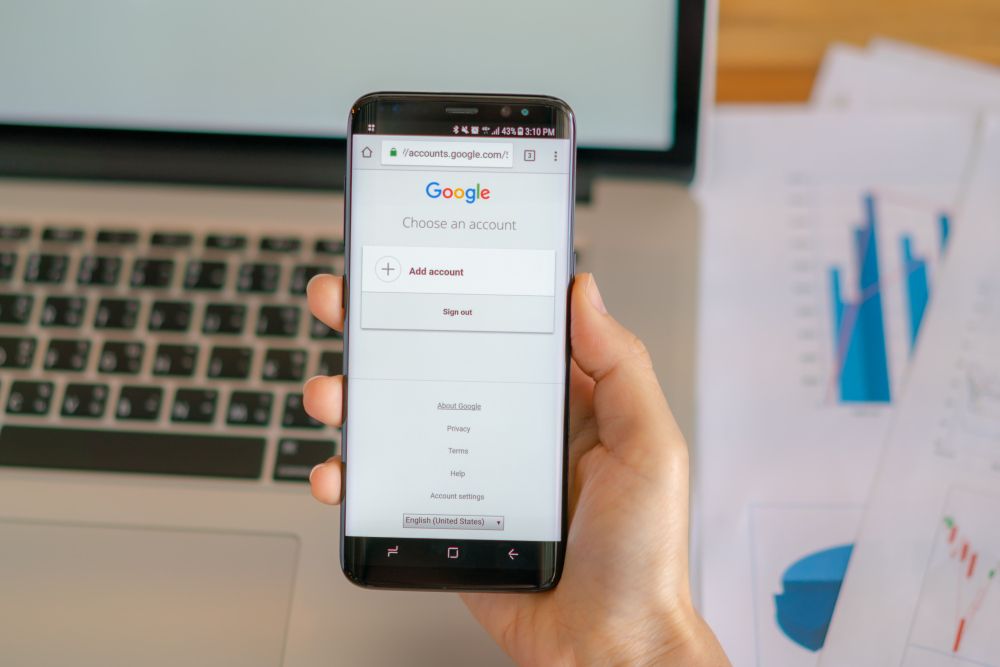
For most business users, ChatGPT is the better main AI tool. Gemini is better for Google Workspace-heavy teams.
ChatGPT vs Gemini for coding
ChatGPT is usually better for coding help, especially for beginners and non-technical users. It is good at explaining errors, writing code, and showing the steps behind a fix.
ChatGPT can help with:
- Debugging
- Python
- SQL
- JavaScript
- HTML and CSS
- Automation
- Spreadsheet formulas
- Code explanations
- Learning programming
- Writing tests
Gemini can also help with code. It may be useful if your work is tied to Google Cloud, Android, or Google developer tools.
Gemini can help with:
- Code snippets
- Bug checks
- Google Cloud tasks
- Android workflows
- Large code files
- Developer research
- API questions
The main difference is teaching style. ChatGPT often explains code in a way that is easier to follow. Gemini can be useful, but it may not always give as much step-by-step detail.
For coding, ChatGPT is the better choice for most users. Gemini can be useful for developers who work inside Google’s ecosystem.
ChatGPT vs Gemini for files and documents
Both ChatGPT and Gemini can work with files. The better tool depends on where your files live.
ChatGPT is useful when you upload a file and want help with analysis, summaries, tables, or insights. It works well for PDFs, spreadsheets, reports, and documents.
ChatGPT can help you:
- Summarize a PDF
- Analyze a spreadsheet
- Pull out key points
- Create a table
- Find issues in a document
- Rewrite sections
- Turn a report into action items
Gemini is useful when your files are already in Google Drive. It can work with Google Docs, Sheets, Slides, and other Drive files in a more natural way.
Gemini can help you:
- Summarize Drive files
- Reference Google Docs
- Work inside Sheets
- Draft in Docs
- Use Workspace sources
- Find details across Google apps
If you work from uploaded files, ChatGPT is often better. If your files live in Google Drive, Gemini may save more time.
ChatGPT vs Gemini for students
Students can use both tools to study, review notes, and understand hard topics. But they should use AI as a study helper, not as a way to copy answers.
ChatGPT is better for learning because it explains ideas in simple steps. It can act like a tutor and adjust to your level.
ChatGPT can help students with:
- Study guides
- Practice questions
- Flashcards
- Essay outlines
- Simple explanations
- Language practice
- Interview prep
- Homework support
Gemini is useful for students who use Google Docs, Drive, or Classroom. It can help summarize readings, organize notes, and work with files.
Gemini can help students with:
- Google Docs notes
- Drive organization
- Class materials
- Research
- Email drafts
- File summaries
For most students, ChatGPT is the better tutor. Gemini is better when schoolwork already lives in Google.
ChatGPT vs Gemini for trust and accuracy
Neither ChatGPT nor Gemini is always right. Both tools can make mistakes. Both can answer with apparent confident even when the answer is wrong.
Gemini may be better for checking current web information because it connects well with Google Search. But web search does not necessarily mean that every answer is true.
ChatGPT may be better for explaining topics step-by-step and building a clear answer. But it can also miss facts or use outdated details if web search is not used.
Be careful with both tools when the topic involves YMYL topics and sensitive topics:
- Health
- Money
- Law
- News
- Schoolwork
- Work decisions
- Safety
- Personal data
For trust, the best tool is the one that shows sources and helps you check them. For important topics, do not rely on using only AI.
ChatGPT vs Gemini pricing
Both ChatGPT and Gemini have free and paid options. The free versions are good for basic use. Paid plans give you more access, stronger models, and more tools.
ChatGPT paid plans are worth it if you want more tokens that give you more messages, stronger reasoning capabilities, the ability to upload files, work with images, create projects, run more tasks, get more memory, and do deeper research.

Gemini paid plans are worth it if you want stronger Gemini models and more features inside Google apps. Some plans are tied to Google AI subscriptions or Google Workspace.
Summed up in simple terms:
- Use ChatGPT paid plans if you want a better all-in-one AI workspace.
- Use Gemini paid plans if you want AI inside Google tools.
- Use the free versions first if you are unsure.
- Upgrade when the tool saves you time or gives actual value to your workflows.
For most users, the best plan depends on where they work. ChatGPT gives more value across many tasks. Gemini gives more value inside Google Workspace.
Pros and cons of ChatGPT
ChatGPT is the stronger choice for many people, but it still has limits.
ChatGPT pros:
- Better for long writing
- Better for step-by-step explanations
- Strong for coding help
- Good for learning
- Easy to guide
- Good for uploaded files
- Useful for business tasks
- Works well as a main hub for AI
ChatGPT cons:
- Not built directly into Gmail or Docs
- Some tools may need a paid plan
- Can still get facts wrong
- May need web search for current topics
- You may need to copy and paste into other apps
ChatGPT is best when you want one AI assistant for many kinds of work.
Pros and cons of Gemini
Gemini is useful, especially for Google users. But it is not the best fit for everyone.
Gemini pros:
- Built into Google Workspace
- Useful in Gmail and Docs
- Good with Drive files
- Strong for current web research
- Helpful for Google Sheets tasks
- Good for image and document understanding
- Saves time if you use Google apps
Gemini cons:
- Less useful outside Google tools
- Writing may need more editing
- Can still give wrong answers
- Some features depend on your account or plan
- Work account settings can affect privacy and history
- Cancellation can be confusing because billing may go through Google One or another channel
- Gemini is best when your work already happens in Google.
Which AI assistant should you choose?
The right choice depends on your daily work.
Choose ChatGPT if you want help with:
- Writing
- Learning
- Coding
- Planning
- Reports
- Research summaries
- Uploaded files
- Business tasks
- Long answers
- Creative work
Choose Gemini if you want help with:
- Gmail
- Google Docs
- Google Sheets
- Google Drive
- Google Slides
- Google Search-based research
- Google Workspace tasks
- Android and Google tools
For most people, ChatGPT is the better, or more useful AI assistant. Gemini is the better choice if you already spend most of your day inside Google apps.
Many people can use both AI platforms. Use Gemini to work inside Google. Use ChatGPT to write and create a plan.
Is ChatGPT or Gemini better?
ChatGPT and Gemini are both useful AI assistants, but they are better for different users. ChatGPT is better for most daily tasks. It is a stronger contender for tasks like writing, studying, coding help, planning, resume summaries, and work. It also works more like a full workspace where you can manage ideas and projects.
Gemini is better if you use Google Workspace every day. It can help inside your usual tools like Gmail, Docs, Sheets, Slides, and Google Drive. It can also be useful for current research and working with Google files.
If you only want one AI tool, choose ChatGPT. If your work depends on Google apps, Gemini can be a good second tool or even the better choice for that specific workflow.
AI for summarizing your meetings
People who have many meetings each day will find that the best AI tool that really makes their life easier is a meeting recorder like Summary AI. It joins your calls and uses AI transcription to record your calls and create the perfect summary with the key points highlighted, speaker labels, and action items.