



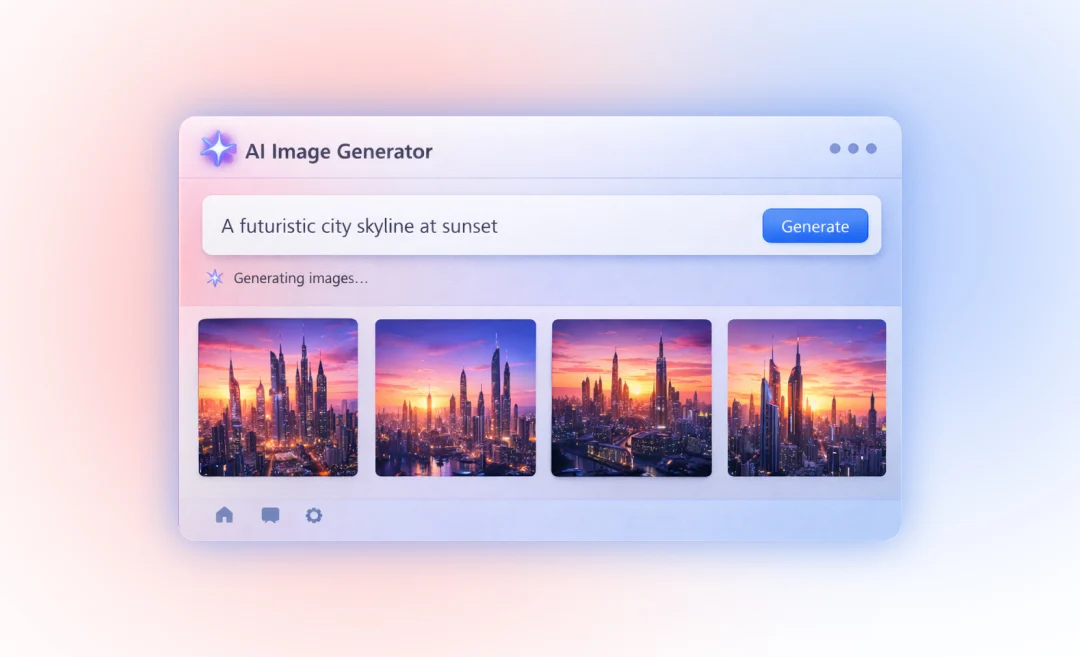

Looking for the best AI image generators in 2026? AI image generator tools have come a long way in the past few years, though many people like to joke about the hands it generates with the wrong amount of fingers. Today, you can find tools for AI image generation that can turn a simple text prompt into realistic photos or nice graphic visuals in seconds.
Whether you need images for marketing, design, or creative projects, the right tool depends on what you want to create, how much control you need, and how much you are willing to spend on such a tool.
In this guide, you will find a comparison of the top AI image generation tools that you can use today. You will also get a basic overview of how they work and learn how to choose the right one for your needs.
What is an AI image generator?
An AI image generator is a tool that creates images from text descriptions. You type what you want to see, and the system generates a completely new image.
Most AI tools for image generation today use technology called diffusion. The way diffusion models work is that they start with random visual noise and slowly refine it into a clear image based on your prompt.
This process allows AI to create everything from simple illustrations to very realistic images complete with accurate lighting and textures.
Different tools use slightly different approaches:
- Diffusion models focus on image quality and detail
- Transformer-based models improve how closely the image matches your prompt
- Commercially trained models use licensed data to make their results safe for business use
AI image generation has improved quickly. Today, these tools can produce visuals that are often hard to distinguish from actual photos, and they are widely used across industries.
You can use AI image generators to create:
- Photorealistic images
- Digital artwork and illustrations
- Product mockups
- Logos and branded visuals
Because each AI image generation tool is designed differently, some are better for artistic work, others for realism, and some for professional use.
Want to explore more AI productivity tools beyond image generation? See the best free AI apps available in 2026.
Best AI image generators in 2026
Now that you know the basics of AI image tools, here are some of the best options you can use today.
1. Midjourney: best AI image generator for artistic images
Midjourney is a great choice if you want high-quality, stylized images that give off a creative air and look cinematic. It is an AI image generator known for keeping a consistent style across many images, which is helpful for branding, stories, and concept art.
You can create detailed textures and lighting. The result is very polished visuals. Many creators use it for logos, mood boards, and social media content because the images often look professional right away.
Strengths: High quality visuals, consistent style, good for pro visuals
Weaknesses: No free plan and prompts can take time to learn
Pricing: From around 10 per month for a starter plan
How to prompt: Use clear, descriptive language with details about style and mood
Recent versions of Midjourney focus on better realism and better text in images, so you can use it for more than just art.

2. Flux: best AI image generator for realistic images
Flux is a good choice if you want realistic photo-like visuals, with accurate, life-like lighting, and a high level of detail. Flux is often used for creating AI product images, portraits, and editorial-style visuals that are meant to resemble real photography.
Many users say that Flux is recommended for following prompts precisely and for handling small details well. Newer versions of Flux are also better at rendering text inside images, which helps with ads and product mockups.
Best for: Photorealistic images, product shots, realistic people
Strengths: Highly realistic output and good text rendering in many cases.
Best for: Product mockups, ecommerce visuals, realistic photo-like social media posts
Available through APIs and platforms like Replicate and other cloud hosts
3. DALL‑E: best AI image generator for bloggers
DALL‑E image generation inside ChatGPT is one of the easiest tools to use, especially for bloggers and content creators. You describe what you want and it creates images that usually match your prompt closely.
You can refine images step by step through chatting thanks to conversational AI, which feels natural if you are already using ChatGPT for writing. This is very useful when you need quick blog headers, thumbnails, or simple illustrations to explain a point.
Strengths: follows prompts well, easy editing through conversation
Best for: Bloggers who want to create images quickly without learning complicated tools
Price: Image generation is available through ChatGPT, free version has some limits on speed and number of images. ChatGPT Plus from about $20 per month for higher limits and faster results.
4. Adobe Firefly: AI image generation for safe commercial use
Adobe Firefly focuses on generating AI images that are safer for using for commercial purposes.
It is trained mainly on licensed and Adobe-owned content, which helps reduce copyright risk for client work, ads, and brand projects.
Firefly can connect directly to Photoshop, Illustrator, and Adobe Express. This means you can generate images, then edit and resize them using the same software, which saves time for design teams.
Integrations: Photoshop, Illustrator, Adobe Express, and the Firefly web app
Strengths: Safer licensing for commercial work, consistent results, strong editing tools around it
Free plan: Limited number of monthly image credits on Adobe’s site
Paid: Included with many Creative Cloud plans, the price depends on your subscription
Best for: Designers, agencies, and marketers who care about legal safety and brand quality
5. Ideogram V3: AI image generation with text inside images
Many AI image tools still struggle to produce clear, readable words inside images. Ideogram performs better than most when you need text that looks like real typography. This makes it very useful for social media graphics, posters, T‑shirts, and logos with short phrases or slogans.
Best for: Graphics with readable text, such as posters and banners
Strengths: Clear, readable text, good layout for simple phrases
Free plan: Daily free credits with limits
Paid: Plans from around $8 per month
Best for: Social media graphics, posters, brand marks, and simple logo ideas
6. Leonardo.ai: AI image generation on a budget
Leonardo.ai is popular because it offers a generous free plan with daily tokens. This lets you test several models and styles without having to pay for it, which is helpful if you are just getting started or publish content only a few times per week.
Leonardo keeps characters consistent and has different visual styles, so you can build simple brand worlds or repeat the same characters across posts. This is very useful for creators who want a unified look across their content but do not want to spend a lot of money.
Best for: High-quality images for creators on a budget, small teams, students.
Free plan: Around 150 tokens per day which refresh daily
Strengths: Good for character consistency
Weaknesses: Interface and settings can take time to learn
Paid: Plans start around $12 per month

7. Stable Diffusion: best open-source AI image generation
Stable Diffusion is an open-source model. This means you can run it on your own computer or on many online platforms and it gives you more control over how the model works, how your data is used, and which styles you want.
You can create or download custom models to match a specific look, and the community offers many plugins and tools. It is probably the best choice if you care about building your own creative pipeline.
Best for: Full control, customization, and experimentation
Strengths: Unlimited generations on your own hardware, private workflows, many community models
Weaknesses: Needs setup, a decent GPU, and more technical knowledge than web-only tools
Free plan: The core model is free and open-source; some hosted services also offer free tiers
Best for: Developers, advanced users, and creators who want more control
8. Canva AI: AI images for quick designs
Canva’s AI image generator is part of the main Canva design platform, so you can create an image and place it into a template in one place.
This is an ideal AI marketing tool for people who make social posts, presentations, and simple marketing materials on a regular basis and need a quick solution to generating images with AI.
The tool is easy to use and does not require very advanced prompting skills. While it is not as advanced as Midjourney or Flux for fine visual control, it is very fast for everyday design work like banners, thumbnails, and slides.
Best for: Simple design workflows and ready-to-post graphics
Strengths: Very easy to use, use with templates, text, and brand kits
Weaknesses: Less control over details than advanced image generator tools
Free plan: Limited image generation in the free Canva plan
Paid: Canva Pro from around $15 per month for more features and higher limits
Best for: Marketers, small businesses, teachers, and non-designers
How to choose the best AI image generator
With so many strong tools available, choosing the right one comes down to a few key factors. Here they are listed for you, so you can evaluate each tool is you try them.
1. Output style: artistic vs photorealistic
Start by thinking about the type of images you need.
If you want artistic or stylized visuals, tools like Midjourney and Leonardo are strong choices. They focus on creative expression and visual style.
If you need realistic images, look at tools like Flux or newer high-end models. These are better at lighting, textures, and natural detail.
If your images need text, such as posters or social media graphics, choose tools like Ideogram or DALL-E. They handle text a bit more accurately than most others.
2. Commercial licensing
If you are creating images for business use, licensing is important. Some tools are trained on licensed content, which makes them safer to use commercially. Adobe Firefly is the best-known example. Other tools allow commercial use under paid plans, but the rules can vary. Always check the platform’s terms before using images for clients or products.
3. Ease of use vs control
Some tools are designed for simplicity, while others offer more control.
DALL-E in ChatGPT and Canva AI are easy to use. You can create images quickly without technical knowledge.
Stable Diffusion and Leonardo.AI give you more control over models and settings, but they require more effort to learn.
Midjourney and Ideogram do a nice balance of the two. They provide strong results without requiring a lot of technical knowledge, but better prompts will improve your output.
4. Budget
Budget is another important factor. Some tools offer free plans with limits. Leonardo.AI and Ideogram give you daily credits, while Stable Diffusion is free if you run it locally. Paid tools usually offer better quality or higher limits. Midjourney is often considered good value for creative work. Think about how often you will use the tool and whether a subscription makes sense.
5. Workflow integration
It is also important to choose a tool that fits your workflow. If you already use ChatGPT, DALL-E is built in. If you work with Adobe tools, Firefly fits naturally into your design process. If you use Canva, its AI tools are already part of your workflow. Using tools that integrate well can save time and make your work smoother.
Get Instant AI Summaries for Any Meeting
Creating visuals with AI can save a lot of time, but meetings can still slow your team down.
AI meeting summaries help solve this problem. They turn long conversations into clear summaries, highlight key decisions, and extract action items automatically.
These tools work by transcribing meetings and identifying the most important information, so you do not need to review full recordings later.

