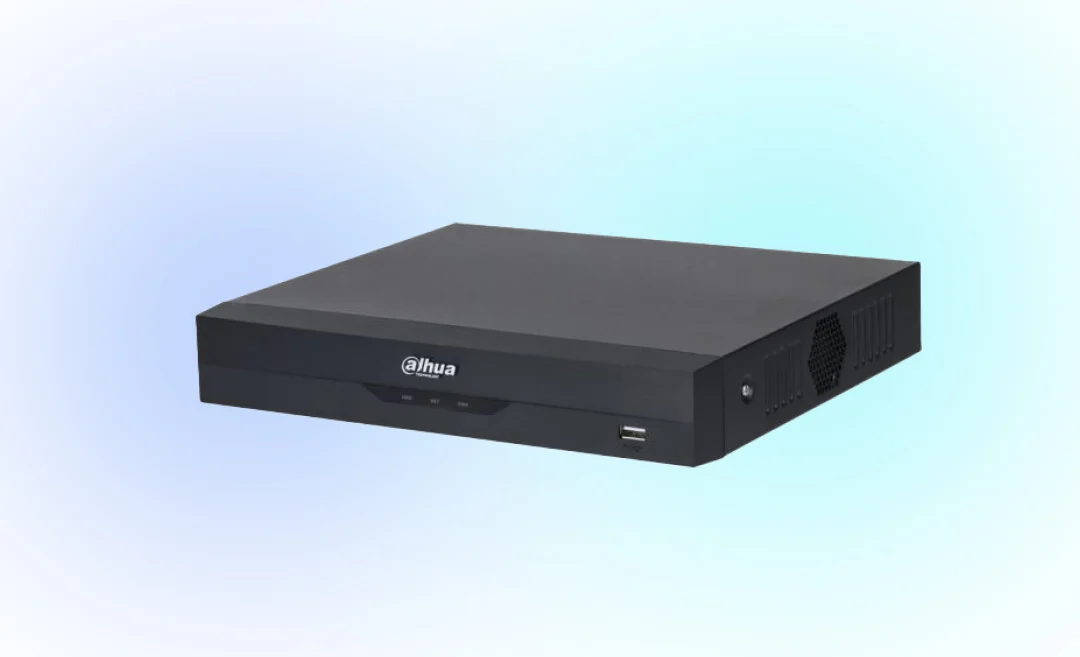



Have you ever wondered what a DVR is? A DVR is a digital video recorder device that is able to record a video in digital format.This way you can watch the mp4 later. It can record different types of footage for example from a television signal or a security camera. After recording it saves on a hard drive for later viewing.
DVR systems are often used in two main areas. Television recording and security systems.
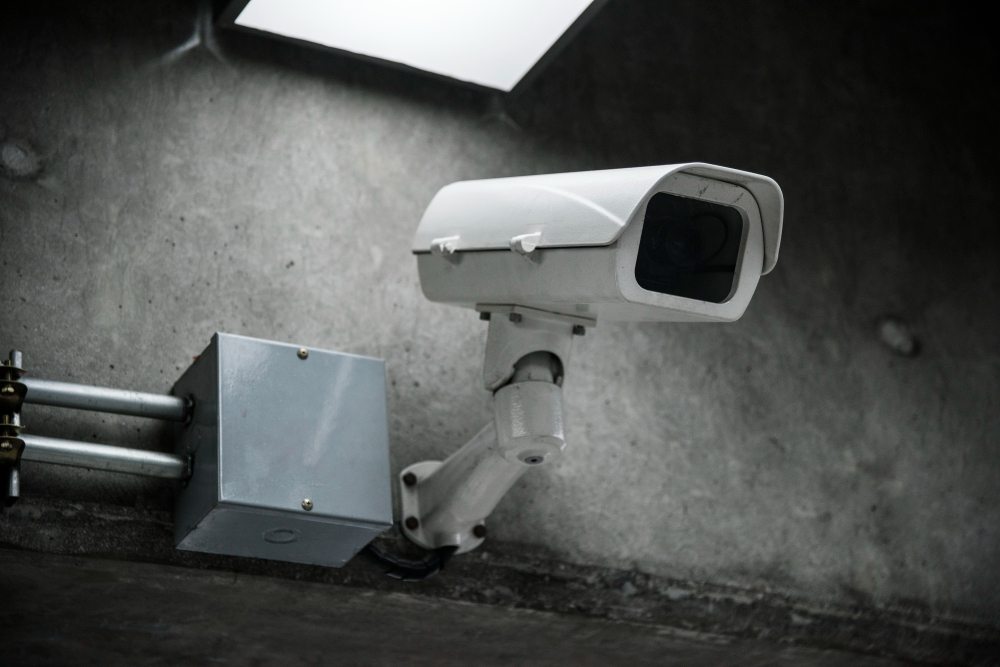
When used on televisions people mainly record shows and movies or even sport broadcasts. For security reasons many homeowners and businesses use a DVR system to watch over their property. So with a DVR they can store the footage recorded from their CCTV cameras.
In this guide we will teach you the meaning and how DVR works. There will be information about the different types of DVR’s and how to use these.
What is a DVR?
The DVR abbreviation stands for Digital Video Recorder. This is a device that video digitally. It doesn’t use older analog tape systems that used to use VHS tapes to record. This way a tape is replaced with a hard drive.
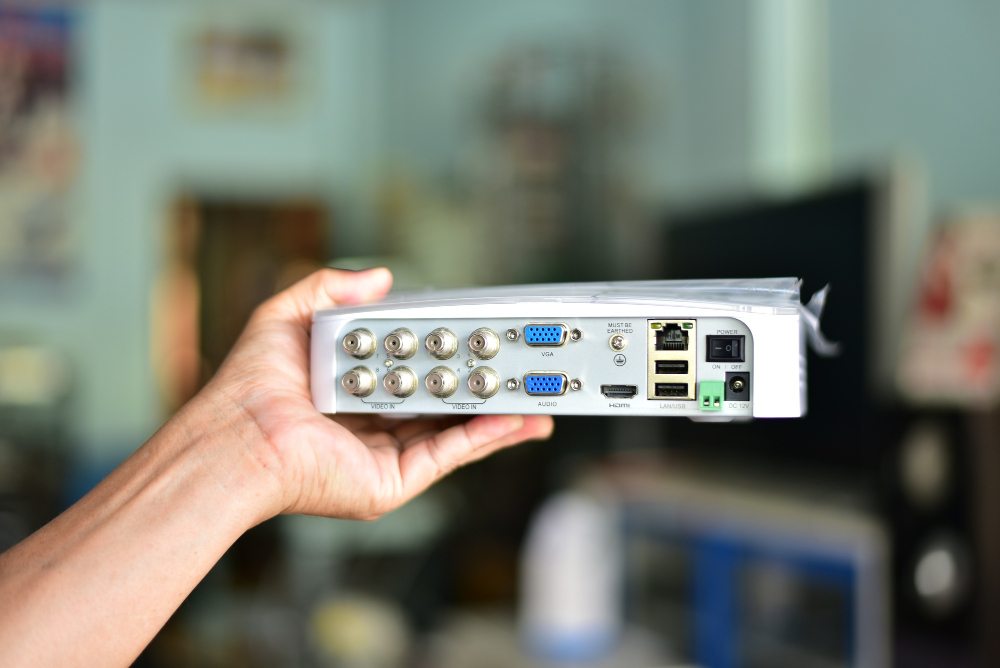
The simplest way to explain what a DVR is:
A DVR recorder is able to capture a video from a different source. For example a television or other signals like broadcast or CCTV cameras. CCTV cameras are often found in stores or homes.
DVR systems are common in:
- Home TV setups
- Cable box and DVR systems
- CCTV security camera systems
- Retail stores and offices
- Home security installations
When using a DVR in a security setup it can connect camera models like Hikvision, Dahua, CP Plus, or Sannce. The DVR does the recording and storing and the cameras send the video signal.
Most DVR systems support several cameras at once.
Common models include:
- 4 channel DVR
- 8 channel DVR
- 16 channel DVR
Summary AI’s can help you to transcribe recordings or meetings, so we recommend using its ability to transcribe video to text with artificial intelligence. With these tools you can improve your productivity when reviewing recordings and meetings by a lot.
Most Important Features of DVR
A digital video recorder includes several features that could be useful for you. With TC recording and security monitoring.
Recording TV Shows and Movies
Most people use a DVR television system to record TV programs. With this system people can record shows, sports events, or movies and watch them later.
A DVR could help you if:
- You cannot watch a show when it airs
- You want to skip advertisements
- You want to save movies for later viewing
Many cable providers also can offer you a DVR TV recorder that is able to connect to your cable box.
Pause and Rewind Live TV
One feature of a DVR system that people enjoy that it’s able to pause and rewind live TV. The DVR continuously records the live broadcast temporarily.
With this you’ll be able to:
- Pause live television
- Rewind a few minutes
- Replay important scenes
These features of DVR have been important in the past years and has changed the way a lot of people view television.
Storage Space
Most DVR recorders store video on an internal hard drive. The amount of storage determines how many hours of video you can keep.
Here are some typical DVR storage sizes include:
- 500 GB
- 1 TB
- 2 TB or more
Another thing to keep in mind is that in security systems the DVR automatically deletes older footage once the storage is full.
Using a DVR could be useful for:
- TV series
- sports events
- daily news programs
When set up the DVR records each episode automatically.
Easy Playback
Playback is simple when you use a DVR. You can browse recordings through a menu and select the content they want to watch.
Common DVR playback features include:
- fast forward
- rewind
- pause
- frame by frame playback
Also in security systems playback also helps review camera footage from specific dates and times.
Types of DVRs
There are different types of DVR systems. These systems differ depending on ways they are used.
Standalone DVRs
A standalone DVR is a separate device that connects to cameras or a television signal.
This type of system usually includes:
- multiple camera inputs
- HDMI or TV out connections
- a hard drive
- network access
The most common type of system Standalone DVR units are common in are CCTV systems.
Integrated DVRs
Some DVR systems are built into other devices.
These can be:
- cable boxes with DVR
- smart TVs with recording features
These systems combine the TV receiver and the DVR into one device.
PC-based DVRs
A PC-based DVR uses a computer with recording software. The computer receives video signals from cameras and records them to the hard drive.
These systems are often used for monitoring with security cameras.
Cloud DVRs
Many streaming services now offer cloud DVR options. Instead of storing recordings on a local hard drive these recordings are saved online.
Some examples could be:
- YouTube TV
- other streaming service platforms
A cloud DVR service allows users to record programs without owning a physical device.
Benefits of Using DVR
There are many benefits that come with a digital video recorder.
It’s convenient
One of the biggest advantages of DVR systems is that it’s convenient. If you have a DVR you can record programs and watch them whenever you want.
DVRs allow users to review recorded footage at any time. It’s best for security systems.
More control
A DVR gives you more control over how you watch TV or monitor security footage.
For example you can:
- pause live TV
- skip advertisements
- rewind a scene
- review camera footage
Saves space
Older recording systems required large VHS tapes. A digital video recorder system stores recordings digitally on a hard drive.
This saves physical space and allows many hours of recording.
Better viewing experience
With DVR playback controls, viewers can easily navigate content.
Security systems also benefit from DVR features such as:
- motion recording
- scheduled recording
- timestamp search
How to Use a DVR?
Using a DVR system is usually simple.
Setting up the DVR
First, connect the DVR to your equipment.
For TV systems:
- Connect the DVR to the cable box
- Connect the DVR to the television
For CCTV systems:
- Connect cameras to the DVR channels
- Connect the DVR to a monitor
- Connect power and network cables
Many DVR models run on 12v power systems.
Scheduling Recordings
Another benefit is that you can schedule recordings through the DVR interface.
Some options are:
- recording a single show
- recording a series
- recording at a specific time
You can use it two different ways in security systems. When using DVR with CCTV, you can set it up to record all the time or record only when motion is detected.
Watching Content You Recorded
Recorded content is stored in the DVR library.
Users can select the recording and play it back.
Security DVR systems also allow users to search footage to view by:
- time
- date
- camera channel
Managing Storage Space
Be careful DVR storage can fill quickly, especially in systems with multiple cameras.
Here are some ways to manage storage:
- delete old recordings
- upgrade the hard drive
- use motion recording
In some advanced DVR systems you can use H264 compression.This will really reduce file size.
DVR and Streaming Services
Traditional DVR systems were built for cable television. But today many streaming services offer similar recording features.
For example YouTube TV includes a cloud DVR option. This allows users to record YouTube TV programs and watch them later.
However, some people still prefer a physical digital video recorder for television because it:
- works without internet access
- offers full control over storage
- can record broadcast TV
If you opt for this route, you may want to cancel YouTube TV.
In security systems, DVR technology is still widely used because it is reliable and affordable.
Tips for Using Your DVR
Here are a few tips to get the most from a DVR system.
- Check storage capacity regularly to avoid losing important recordings.
- Use motion recording in CCTV systems to save storage space.
- Update firmware for better performance and security.
- Choose the right channel model such as 4 channel or 16 channel depending on the number of cameras.
- Use network access to view recordings on mobile devices.
Transcribe Video to Text with Summary AI
A DVR is very useful if you want to record a lot of footage on your TV or security system. A similarly useful tool to pair DVR recording with is a video-to-text transcription tool like Summary AI. You put in video and get a nice clean transcription automatically that you can then search, skim, and even summarize all in the same app. Summary AI is a very useful tool to have when you work with a lot of video.