





AI powered voice assistants are tools that let you talk to your devices and have tasks done by voice command. These assistants use speech recognition and natural language processing to understand you. You can then talk to them in a conversational manner and they can respond to your questions or act on your commands. Common examples of an AI powered voice assistant include Google Assistant, Siri, Alexa, and AI tools like Microsoft’s Copilot.
In this article, we explain what AI voice agents are and look at the best ones in 2026. We explore what you can use them for, discuss their limits, and give you tips for choosing the right one.
What is an AI voice assistant?
An AI voice assistant is software that listens to your voice and helps you with tasks. When you speak, it uses technology like automatic speech recognition and natural language processing to turn your voice into text and figure out what you want. Then it performs the task or gives an answer, often using text-to-speech to speak back to you.
Think of AI voice assistants like a helper that you can talk to. You could say “set an alarm,” and the assistant sets it for you. These assistants can run on all sorts of devices. Nowadays, the are available on phones, smart speakers, computers, and even cars.
The most popular voice assistants listen for a wake word (like “Hey Siri” or “OK Google”) before they start doing anything.
What does an AI voice assistant do?
AI voice assistants can do lots of things. They can answer questions, manage your calendar, play music, control smart devices that you connect, and more. You can also ask text-based AIs like ChatGPT questions or talk to it using voice. ChatGPT isn’t really a voice assistant, a large language model that answers your queries in a way that resembles human speech. However, as these tools improve, they can eventually be used as a voice assistant.
How do AI voice assistants work?
These voice agents work by going through multiple steps:
- They capture your speech
- Convert it to text
- Use AI to understand the meaning and context
- Decide what to do
- Then respond by speaking or acting
Voice recognition lets you interact with technology without typing.
Best AI voice agents in 2026
Here are some top AI voice assistants you can use today. Each has its own strengths and features.
1. Summary AI
Summary AI is an AI meeting assistant. You can also ask it follow-up questions about what was said during the meeting to get information.
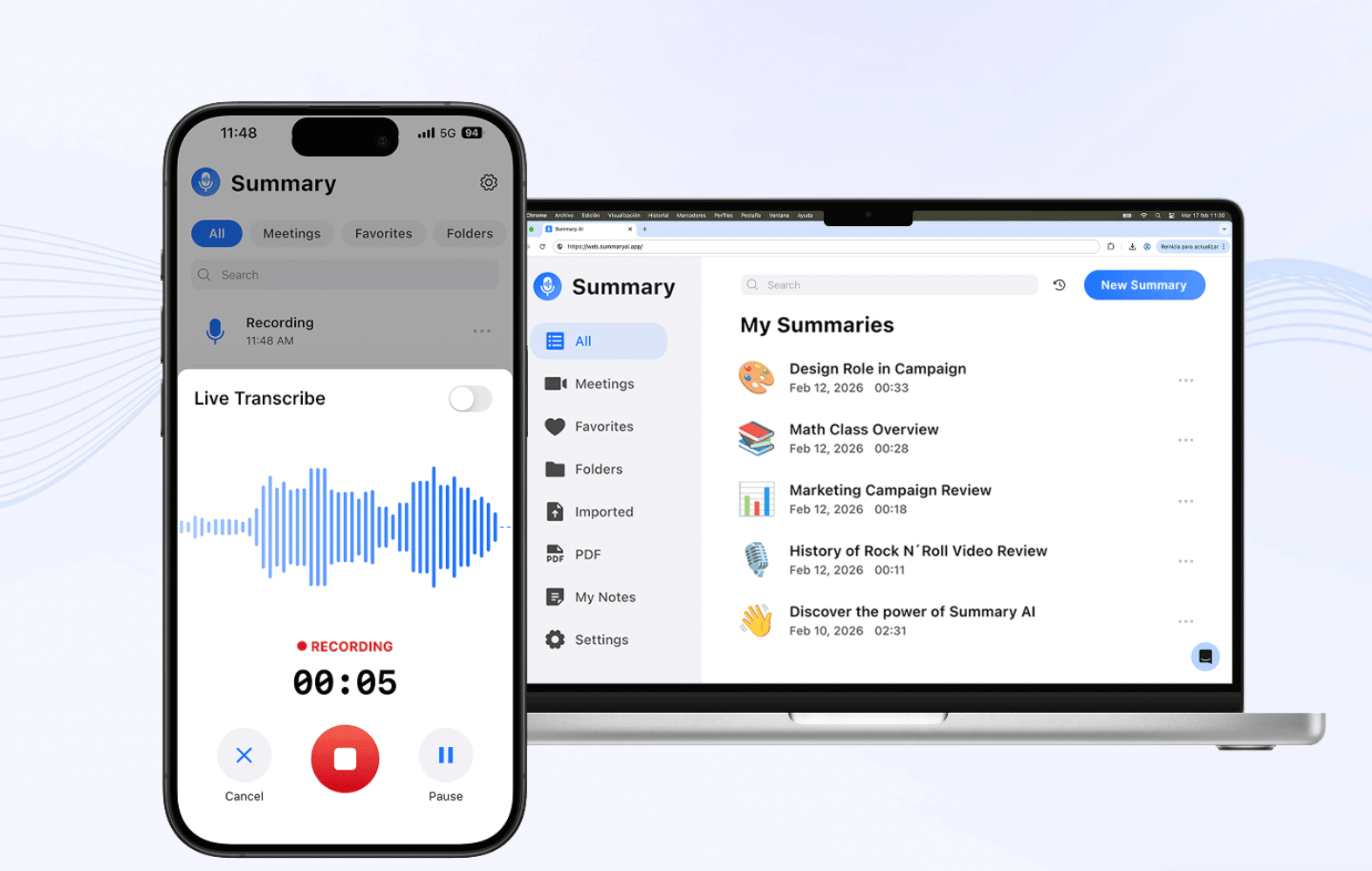
It’s not a typical voice assistant, but it joins your online meetings on Zoom, Google Meet, Microsoft Teams and listens to your conversations to transcribe them and give you perfect summaries.
You can even turn on live translations and get captions for 120+ languages. It records, transcribes, and summarizes everything for you. After the meeting, it gives you a clear summary of key points and action items.
Features:
Summary AI connects via your calendar and joins meetings you allow it to.
- Transcripts & summaries: It delivers accurate transcripts with speaker labels, and creates concise AI-generated notes.
- Action items: It highlights tasks and who’s responsible for each, so nothing is forgotten.
- Translations: Instantly translate meeting transcripts into 120+ languages.
- Easy sharing: Copy or share the summary with team members automatically via email.
Invite Summary AI’s Meeting Assistant to your business meeting and just focus on the conversation. The software will transcribe and summarize for you. Afterward, you get an organized summary with key points and to-do’s highlighted. Summary AI is useful because it saves time and ensures no one has to take notes manually. You can concentrate on talking or listening, knowing that Summary AI will capture everything.
2. Google Gemini
Google Gemini is built into Android phones and all Google products.
It’s powered by Gemini AI, making it more conversational. Google Assistant can answer your questions and do tasks when you wake it up with the phrase “Hey Google.”
Features:
- Daily tasks: Set timers, reminders, alarms, or add items to shopping lists (e.g., “Set an alarm for 7 AM”).
Communication: Make calls or send texts without typing (“Call Mom” or “Text John ‘On my way’”). - Info and web search: Check the weather or traffic (“Will it rain tomorrow?”).
- Entertainment: Play music or podcasts on services like Spotify or YouTube (“Play jazz music on Spotify”).
- Smart home: Control lights, thermostat, and other devices (“Dim the bedroom lights,” “Make the temperature 75 degrees”).
With Gemini, you can have more detailed conversations. Gemini can explain topics, brainstorm ideas, and follow-up without repeating the wake word.
On your device, just say “Hey Google” and give your command. Google Assistant is great for quick answers, help with everyday tasks, and managing smart devices. It uses Google’s search engine knowledge, so it knows a lot.
It’s useful because it is integrated with other Google services like Calendar, Maps, and Translate. It’s available in many languages and it can learn your preferences. For more details on how Google’s new AI compares to the old assistant, see our Gemini vs Google Assistant guide.
3. Siri (Apple Intelligence)
Siri is Apple’s voice assistant built into iPhones, iPads, Macs, and Apple Watch.
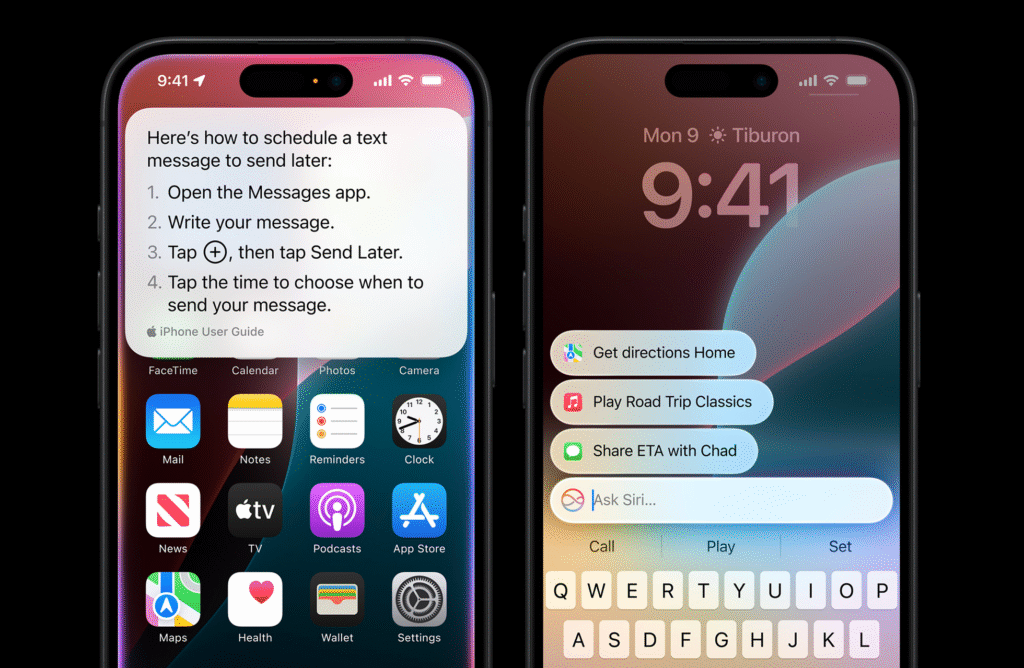
Just say “Hey Siri” (or hold a button) to start. In 2026, Siri uses Apple Intelligence features for better answers.
Features:
- Everyday tasks: Send messages, place calls, set timers or reminders by voice (“Hey Siri, text Sam ‘I’m on my way’” or “Remind me to water the plants when I get home”).
- On the go: Use Siri in the car with CarPlay to get directions or make calls without taking your eyes off the road.
- Home: Control smart devices lights and locks, or use Siri as an intercom between spaces in your house.
- Request info: Ask for weather, sports scores, or the latest news. You can follow up without saying “Hey Siri” again after the first command.
- Shortcuts and apps: Open apps or shortcuts you have set up
On any Apple device,you can just speak to Siri. It integrates with iPhone features and you can even use it to find your parked car or call people.
Siri is useful because it works smoothly with Apple’s products like Messages and Calendar. It’s designed for quick tasks and has privacy by doing much processing on the device. It even lets you make multiple requests in a row. This is great for people who use a lot of Apple products.
4. Amazon Alexa

Alexa is Amazon’s voice assistant and it is available on Echo speakers, Fire TVs, and via the Alexa app. In 2026, a new version called Alexa+ offers more advanced conversational abilities. You can use it in browsers and on multiple devices.
Features:
- Voice control: Turn on lights, play music, add items to lists, or ask questions. Alexa can even order groceries for you.
- Use it on multiple devices: Alexa+ lets you start a task on your phone and continue on an Echo or Fire TV without interruption.
- Planning: It can help you plan events or projects by creating checklists, sending emails or messages, or finding information on the web.
- Custom Skills: Thousands of third-party “skills” let Alexa do special tasks like control other devices, order food, play games.
You can use Alexa at home or on the Alexa app. Just say “Alexa” and ask it to do things. For example, “Alexa, play jazz music,” or “Alexa, what’s on my calendar today?” Alexa is useful because it has many devices that work with it and it can create routines by grouping actions. With Alexa+ you get more natural conversations and can pause and resume tasks across devices. It’s especially strong for home automation and looking up info.
5. Microsoft Copilot
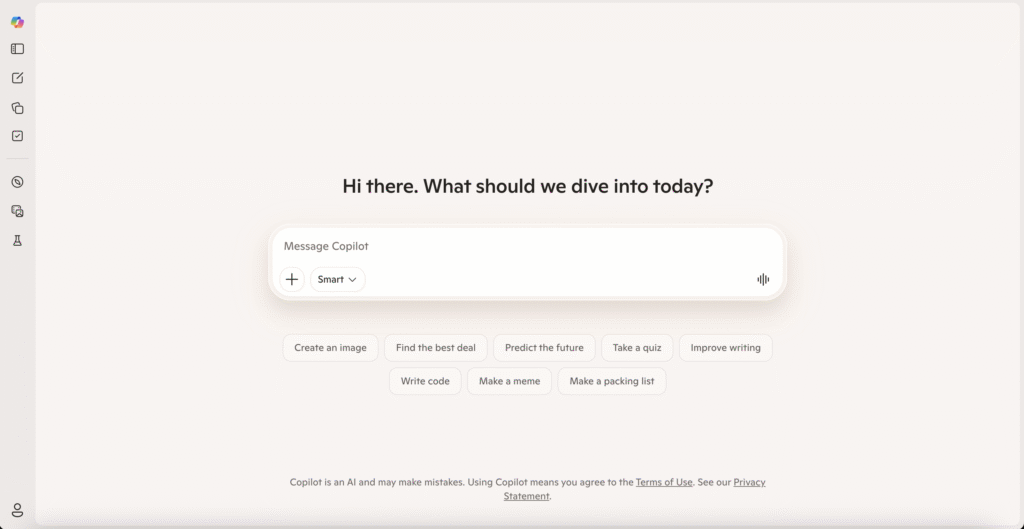
Copilot is Microsoft’s AI assistant. It is built into Windows, the browser called Edge, and Office apps like Word, Excel, PowerPoint, and Outlook. Copilot is an AI companion for your computer. In 2026, Copilot also offers voice features on mobile and PC for voice dictation and chat.
Features:
- Conversational AI: You can type or dictate questions to Copilot, and it gives you answers and summaries.
- Voice tools: Copilot has dictation that lets you speak to write text, reads back answers aloud, and lets talk back-and-forth with chat features. For example, you can say, “explain this email,” and it will speak back an answer.
- Writing and research: It can help write emails, draft documents, or analyze data. It can search the web and provide answers with sources included.
- Integration: Copilot works in Windows, in Microsoft 365 apps, and on phones via its app.
To use Copilot on a Windows PC, you can press the Copilot icon or say “Hey Copilot” to start. On a phone you can use the Copilot chat interface.
Copilot is useful because it is made for productivity and can do tasks like brainstorming, drafting, summarizing, or data lookup. Its voice features let you dictate text or hear responses, which helps if you’re multitasking or need an interface that is accessible.
Top use cases for AI voice assistants
AI voice assistants are useful in many parts of life and work. You can use AI voice assistants to save time by automating small tasks and getting them to provide you with information quickly. Most often, they handle routine tasks so you can focus on more important work.
The most common uses of AI voice assistants include:
- Doing tasks without using your hands: For example, setting timers, sending texts, or playing music while cooking or driving.
- Managing your schedule by voice: adding calendar events, setting reminders, and checking weather or news reports quickly.
- Automating your smart home: Controlling lights, locks, thermostats, and TVs with voice commands.
- Customer service: Businesses use AI voice agents to answer phone calls and handle common requests automatically, so human staff can focus on more strategic problems. A call agent can greet customers, answer FAQs, or route calls to the right department.
- Accessibility: Voice assistants help people with disabilities use technology more easily. Someone who can’t type can still send messages or get information with voice.
What are the limitations of AI voice assistants?
While AI voice assistants can be really useful, they have their limits. The biggest challenges voice assistants can come up against:
- Accuracy: Voice assistants can sometimes misunderstand you. This is especially a problem if you are in a place with a lot of background noise. You should always review the results that AI gives you for glaring mistakes, and this is no different when it comes to voice assistants.
- Complex requests: Many assistants handle simple commands well but struggle with more complicated tasks. For example, a voice agent might not always remember earlier parts of a long conversation.
- Internet connection: Assistants need a connection in order to work, so they will not respond offline.
- Knowledge: Some voice assistants have a fixed knowledge base and can’t answer questions outside their domain. Others can search the web, but even they can’t always find the right answer.
Overall, AI voice assistants are very helpful but not perfect. They stand out in routine tasks and looking up information, but they can’t replace human judgment or understanding. Always keep an eye on the results they return and be ready to correct them when needed.
How to choose the right voice assistant AI
Picking the best AI voice assistant depends on what you need to use it for most often. Here are some tips to help you choose:
- Decide your main use case: Do you want it for home automation, general information, work productivity, or meetings?
- Check compatibility: Make sure it works with other tools you have!
- Look at feature: Think about what features matter most to you.
- Ease of use and language support: Some assistants might understand you better. If you speak multiple languages, check if it supports them. Also, try asking it a few questions to see if it’s easy to talk to.
- Consider your budget: Most basic assistants (Siri, Google, Alexa) are free on devices.
Read comparisons and compare similar tools to choose the best one. Choosing the right AI powered voice assistant is about matching it to your needs and devices.
Get Instant AI Summaries for Any Meeting
Summarizing talks is now easy with Summary AI. It is an AI meeting assistant that turns long meetings into clear, concise summaries in seconds and captures key points, decisions, and tasks for every attendee. With Summary AI, your team saves hours each week because you can focus on the meeting instead of writing notes manually.
Invite Summary AI to your Zoom, Google Meet, or Teams calls and let it do the work. After the meeting ends, you get a perfect transcript, action items, and a summary delivered to you instantly.
You can ask Summary AI questions about the meeting, share summaries with others, and keep everyone on track. It works with both online and offline meetings, and it even translates meetings into over 120 languages.
Using Summary AI means no more missing details or miscommunication. Every decision is logged, and nothing slips through the cracks. If your goal is to save time and improve team productivity, this is the tool to use.

