




Recording phone calls is one of the simplest ways to capture important information, create transcripts, or document business conversations, but it also comes with legal and technical considerations.
Whether you’re a journalist, consultant, sales rep, or student, this guide explains how to record a phone call safely, effectively, and legally using modern AI-powered tools like Summary AI.
Why Record Phone Calls?
Recording calls can help you stay focused, capture every detail, and revisit conversations later — without scrambling for notes. Here’s why professionals rely on it:
- Accuracy: No more relying on memory or rushed note-taking.
- Productivity: Turn conversations into summaries and action items instantly.
- Documentation: Keep records for compliance, training, or client reference.
- Collaboration: Share key takeaways with your team or manager.
- Language & Accessibility: Use transcripts and translations for multilingual teams.
“Recording your calls isn’t about surveillance: it’s about staying organized, informed, and efficient.”
Legal Considerations Before Recording a Call
Before you press record, you must understand call recording laws — especially in the U.S. and Europe.
One-Party vs. Two-Party Consent
| Consent Type | Description | Examples of States / Countries |
|---|---|---|
| One-Party Consent | Only one participant (you) needs to agree to record. | Most U.S. states like Texas, New York, etc. |
| Two-Party Consent | All participants must agree to be recorded. | California, Florida, Illinois, Germany |
Tip: Always disclose when you’re recording, especially in business contexts. It builds trust and avoids legal issues.
You can check your state’s specific laws using reliable sources like Justia’s Recording Law Guide.
How to Record a Phone Call on Different Devices

1. How to Record a Phone Call on iPhone
Apple restricts direct call recording due to privacy laws, but you can still record calls safely using:
- Third-party apps: Summary AI, Rev Call Recorder, TapeACall
- Conference method: Merge your call with a recording line
- External recorder: Use another device or app like Summary AI’s background recording feature
Steps with Summary AI:
- Open the app.
- Tap “Record Call” and choose incoming or outgoing.
- The AI automatically captures the conversation.
- Once complete, you’ll receive an instant transcript and summary.
2. How to Record a Phone Call on Android
Android devices are more flexible.
Built-in Option:
Some Android phones (like Samsung Galaxy or Google Pixel) include a native recording feature within the dialer app.
Third-Party Apps:
Apps such as Summary AI or ACR Phone Recorder offer better organization and AI transcription capabilities.
Steps with Summary AI:
1. Launch the app before or during a call.
2. Grant microphone and call access permissions.
3. Start recording in the background, even while multitasking.
4. The AI generates a structured summary once the call ends.
3. How to Record Phone Calls on Desktop or VoIP Platforms
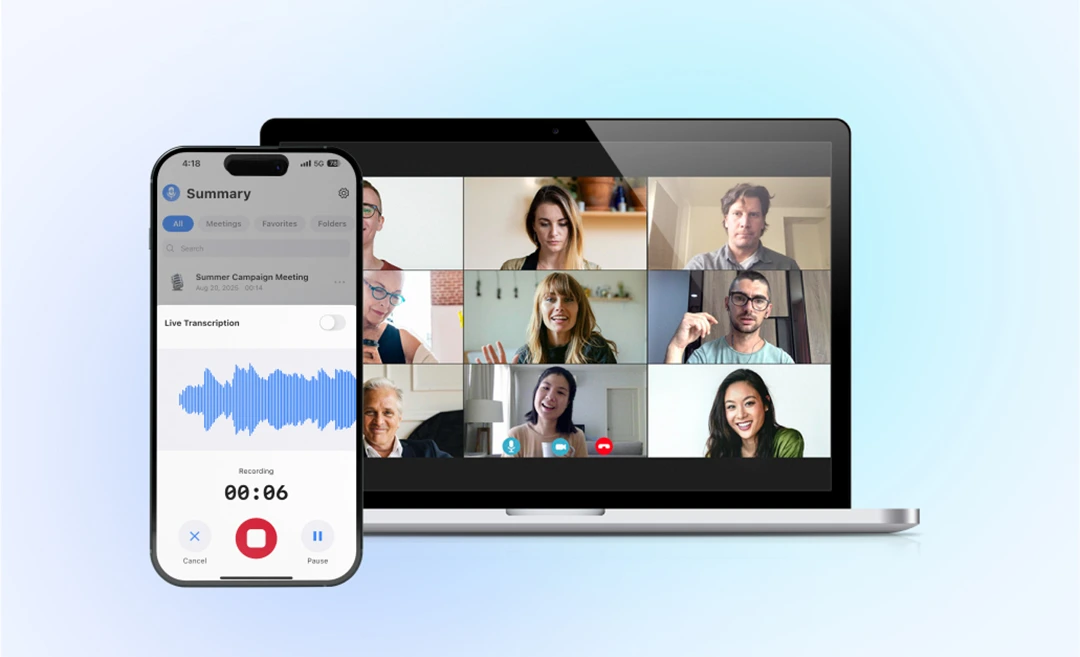
If you’re using Zoom, Microsoft Teams, or Google Meet, Summary AI can transcribe and summarize the meeting directly — no manual recording setup needed.
Compatible Platforms:
- Zoom: Record audio, then upload MP3 to Summary AI for transcript.
- Google Meet / Microsoft Teams: Use Summary AI’s live transcription for real-time notes.
Comparing Call Recording Methods
| Method | Best For | Pros | Cons |
|---|---|---|---|
| Native Phone Recorder | Simple users | Built-in, easy to use | Limited features, not available everywhere |
| AI Recorder (Summary AI) | Professionals | Records, transcribes, summarizes, translates | Requires internet connection |
| Manual Note Taking | Quick thoughts | Free, instant | Inaccurate, time-consuming |
| External Device Recorder | Interviews | Reliable backup | Extra hardware required |
Using AI to Automate Call Notes and Summaries
Traditional recorders only save audio — but with AI meeting assistants, you can go much further.
How Summary AI Transforms Your Recorded Calls
After your phone call:
- The app instantly transcribes the audio into text.
- AI identifies key points, tasks, and next steps.
- You can translate, summarize, and share securely.
- Organize your transcripts by project, client, or topic — all searchable.
Example Output:
- Topic: Sales follow-up
- Action Items:
- Send product demo by Thursday
- Follow up with pricing details
- Summary: Discussed client pain points, demo timeline, and next steps
This AI-powered approach turns hours of manual work into a 30-second automation.
Benefits of Recording Calls with Summary AI
| Feature | Benefit |
|---|---|
| Background Recording | Capture calls discreetly while multitasking |
| Automatic Transcription | Convert calls into searchable text |
| Instant Summaries | Get key takeaways right after the call |
| Live Translation | Communicate easily with international contacts |
| Private Mode | Keep sensitive recordings encrypted and secure |
| Smart Organization | Sort notes by client, project, or date |
Security and Privacy: What You Should Know
Always ensure that your app complies with GDPR, CCPA, and local privacy regulations. Summary AI offers:
- End-to-end encryption for all recordings and transcripts.
- Private Summaries Mode for confidential calls.
- Cloud or local storage options based on your preferences.
Your conversations stay yours — Summary AI never sells or shares your data.
Best Practices for Recording Phone Calls

Before The Call
- Ask for consent if required.
- Check your microphone and connection.
- Prepare your questions or talking points.
During The Call
- Speak clearly and minimize background noise.
- Label the recording or meeting topic.
- Focus on the conversation — let AI handle the notes.
After The Call
- Review the transcript and summary.
- Share key insights with your team.
- Store recordings securely in your Summary AI account.
Common Use Cases for Call Recording
- Sales Professionals: Record client calls for CRM updates.
- Consultants: Capture discovery sessions and project discussions.
- Students: Record interviews and lectures for research.
- Journalists: Keep accurate records of phone interviews.
- Freelancers: Document client briefs and verbal agreements.
Final Thoughts: Simplify Your Call Recording Workflow
Recording phone calls shouldn’t be complicated. With AI-powered tools like Summary AI, you can go beyond basic audio capture, turning every conversation into a structured, shareable, and actionable summary in seconds.
Whether you’re managing clients, studying, or closing deals, AI call recording gives you clarity, accuracy, and peace of mind, all while staying compliant and efficient.
“Summary AI is the easiest way to record, transcribe, and summarize calls, so you can focus on what matters: the conversation.”
FAQs about Recording Phone Calls
1. Is it legal to record a phone call?
It depends on where you are. Laws vary by jurisdiction—some places allow recording if only one party consents, while others require all parties to consent. You are responsible for understanding and complying with the laws that apply to you before recording a phone call.
2. Can I record phone calls automatically?
Yes, many apps like Summary AI and Rev Call Recorder allow automatic recording for incoming and outgoing calls with consent.
3. How can I transcribe my recorded calls?
Upload your audio file (MP3, MP4, M4A or WAV) to Summary AI, and it will automatically convert it into an accurate transcript and summary.
4. Can I record calls in another language?
Yes, Summary supports more than 120 languages.

