








In a world where remote work, hybrid teams, and online collaboration are now the norm, mastering virtual meeting etiquette has become an essential professional skill. Whether you’re joining a Zoom call, a Microsoft Teams huddle, or a Google Meet session, how you show up online directly affects your credibility, communication clarity, and overall productivity.
This comprehensive 2025 guide covers everything you need to know, including:
- Proper behavior before, during, and after virtual meetings
- Camera, audio, and screen-sharing etiquette
- Tips for remote teams and cross-cultural communication
- AI tools (including Summary AI) to improve meeting performance
- A full comparison table of best and worst meeting behaviors
Let’s dive in.
Why Virtual Meeting Etiquette Matters in 2025
Virtual meetings are no longer optional—they’re integral to modern work across industries including tech, finance, healthcare, education, and freelancing.
Good virtual meeting etiquette helps you:
- Communicate clearly
- Reduce misunderstandings
- Boost team engagement
- Build professional credibility
- Save time and increase meeting efficiency
Poor etiquette leads to:
- Miscommunication
- Wasted time
- Frustration among participants
- Poor client or team perception
- Reduced productivity
As remote and hybrid work continue to shape workplace culture, etiquette expectations have evolved. This guide reflects the latest standards.
The 3 Stages of Virtual Meeting Etiquet
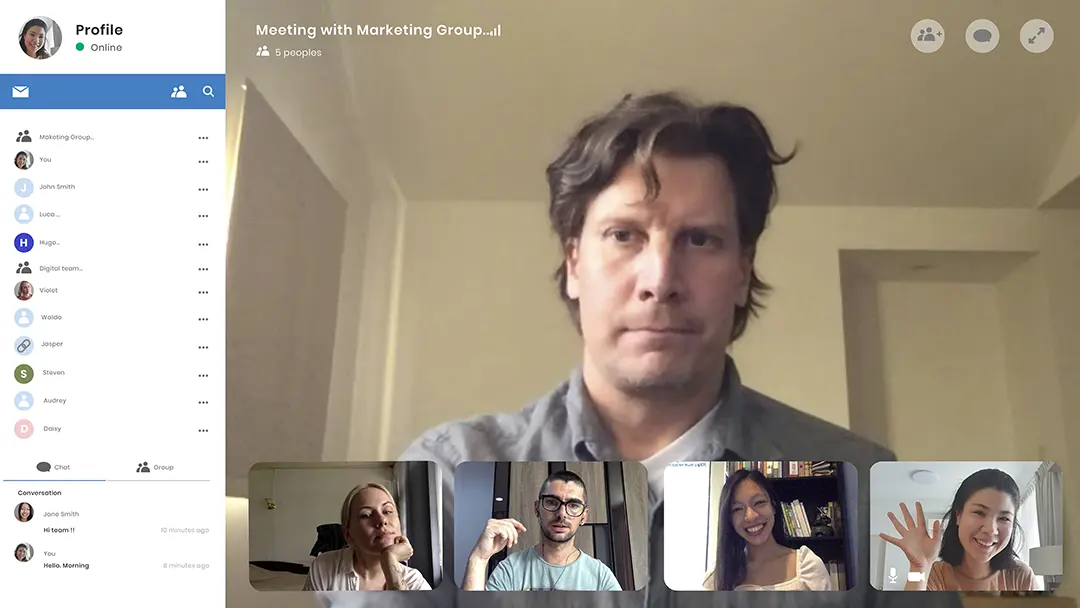
1. Before the Meeting
Proper preparation sets the tone for a smooth and effective meeting.
Pre-Meeting Etiquette Checklist
A. Test Your Technology
Before joining:
- Check internet connection
- Test your microphone
- Test your webcam
- Ensure your VPN or company network is stable
- Update your meeting software (Zoom/Teams/Meet)
Pro Tip: A quick tech check prevents 90% of common meeting delays.
B. Choose a Professional Environment
Your space communicates your professionalism.
Best practices:
- Quiet, distraction-free environment
- Clean, clutter-free background
- Neutral lighting (avoid backlighting)
- Use headphones if noise is present
C. Dress Appropriately
Even in remote settings, attire matters.
Recommended:
Business casual or professional clothing—depending on the meeting.
Avoid:
- Pajamas
- Low-cut tops
- Distracting patterns
- Hats or hoodies (unless culturally appropriate)
D. Read the Agenda in Advance
Always check:
- Meeting goals
- Required materials
- Documents or links
- Assigned roles (presenter, note-taker, moderator)
E. Arrive Early
Sign in 2–3 minutes early to avoid delays and show respect for others’ time.
2. During the Meeting
This is where your etiquette skills are on full display.
Virtual Meeting Etiquette Best Practices
A. Keep Your Camera On (When Expected)
A visible face increases trust and engagement.
Camera-on recommended for:
- Team meetings
- Client calls
- Interviews
- Training sessions
Camera-off acceptable for:
- Large webinars
- Low-bandwidth situations
- Sensitive personal circumstances (inform the host privately if possible)
B. Mute When Not Speaking
The number one rule of virtual etiquette.
Mute to avoid:
- Keyboard noise
- Family or pet sounds
- Echo
- Side conversations
C. Speak Clearly and Slowly
Because of audio delays and varying network speeds:
- Pause before speaking
- Avoid interrupting
- Use concise language
- Allow others time to respond
D. Use Chat Features Professionally
Chats should be used for:
- Sharing links
- Asking questions
- Providing quick feedback
- Adding clarifications
Avoid:
- Side jokes
- Off-topic comments
- Gossip
- Spamming emojis
E. Screen Sharing Etiquette
When sharing your screen:
- Close unrelated tabs
- Hide personal notifications
- Ensure no confidential data appears
- Disable pop-ups
- Share only the necessary window (not your full desktop)
F. Use Non-Verbal Cues
Virtual meetings rely on visual signals:
- Nod to show agreement
- Use thumbs-up reactions
- Raise your hand digitally before speaking
G. Respect Speaking Order
Follow the host’s lead:
- Don’t talk over others
- Stay on topic
- Keep responses brief
- Use hand-raising when required
Comparison Table: Good vs. Poor Virtual Meeting Behaviors
| Behavior Category | Good Etiquette | Poor Etiquette |
|---|---|---|
| Camera | On, well-lit | Off without explanation |
| Audio | Mute when not speaking | Background noise, echo |
| Engagement | Active participation | Multitasking, looking away |
| Chat | Helpful, professional | Off-topic jokes, spam |
| Screen Sharing | Clean, organized | Messy desktop, private content |
| Timing | On time | Late without notice |
| Speaking | Clear, concise | Interrupting, rambling |
3. After the Meeting
Professionalism continues beyond the call.
Post-Meeting Etiquette Steps
A. Review and Save Notes
Having organized notes helps you keep track of decisions and actions.
B. Send Follow-Up Messages
A good follow-up includes:
- Meeting summary
- Action items
- Deadlines
- Files or links discussed
C. Respect Action Item Deadlines
Showing reliability builds long-term trust within teams.
D. Ask for Clarification (if needed)
If a task wasn’t clear:
- Message the host
- Verify instructions
- Confirm expectations
How AI Enhances Virtual Meeting Etiquette

AI tools like Summary AI can dramatically improve participation, clarity, and productivity.
Ways AI Improves Meeting Etiquette
1. Automatic Meeting Summaries
Summary AI extracts:
- Key points
- Decisions
- Topics
- Speakers
- Action items
Perfect for those who missed the meeting or need quick recap.
2. AI-Generated Action Items
AI creates structured tasks based on the call:
- Assigned responsibilities
- Deadlines
- Deliverables
3. Real-Time Transcriptions
Helps:
- Multilingual teams
- Noisy environments
- Accessibility
- Reviewing complex details
4. Noise Suppression & Audio Cleanup
Modern AI tools block:
- Dogs barking
- Keyboard typing
- Echo
- Street noise
This makes you appear more professional.
5. AI-Enhanced Presentation Delivery
Tools can improve:
- Slide readability
- Voice clarity
- Speaking speed
- Filler word reduction
- Audience engagement levels
Advanced Etiquette Tips
Remote work has evolved—so has etiquette.
A. Managing Time Zones
Use AI scheduling tools to:
- Auto-detect time zones
- Suggest overlapping hours
- Minimize meeting fatigue
B. Cultural Awareness in Global Teams
Respect variations in:
- Communication style
- Formality
- Turn-taking
- Gestures
- Holidays
C. Reduce “Meeting Overload”
Consider:
- 15-minute stand-ups
- No-meeting Fridays
- AI summaries instead of unnecessary calls
D. Avoid Multitasking
Even though others can’t see your screen, multitasking shows in:
- Eye movement
- Delayed responses
- Reduced engagement
E. Use Headphones and External Mics
Boosts:
- Audio clarity
- Noise reduction
- Meeting professionalism
Sample Virtual Meeting Etiquette Checklist
Before the Meeting
- Test audio/video
- Clear your background
- Dress professionally
- Review agenda
- Close unnecessary apps
- Join on time
During the Meeting
- Keep camera on
- Mute when not speaking
- Be concise
- Use chat properly
- Avoid interruptions
- Stay present
After the Meeting
- Review AI summary
- Send follow-up messages
- Complete action items
- Provide requested materials
Quotes About Virtual Communication
“The biggest part of online professionalism is intentionality—not just showing up, but showing up well.”
“In virtual meetings, clarity is kindness.”
FAQs About Virtual Meeting Etiquette
1. Should I always keep my camera on?
2. Is it rude to eat during a virtual meeting?
Yes, unless the meeting is informal or you inform the host in advance.
3. What if I have background noise I can’t control?
Use mute and enable AI noise suppression.

